Aspire

Inside Aspire

The Architecture Behind the AI Loop

Ground decisions. Observe outcomes. Ship intent.

Start presentation

David Pine's actual public profile portrait
David PineMicrosoft's Aspire team

Wisconsin .NET UG
November 17, 2026 at 6pm Central

Aspire makes AI
more efficient.

AI loops

Reviewed facts guide the next move.

Aspire dashboard

Observe with an AppHost or without.

Aspire deployment

Take intent to a configured target.

Evidence and application intent travel together.

Three areas. One payoff: precise, inspectable decisions, not invented savings.

AI loops

A confident answer isn't evidence.

We use AI to build Aspire and aspire.dev. Reviewed, published facts then ground the developer's next move.

Make browser behavior observable.

WithBrowserLogs

Console output, exceptions, network events, and screenshots become evidence.

Configure the tracked browser at runtime. Follow the reviewed guide into the CLI and the developer's next decision.

Experimental ASPIREBROWSERLOGS001 in Aspire.Hosting.Browsers. A documented extra capability, not wired into this weather app.

Browser evidence has a visible trail.

GitHubGitHub
Actual GitHub header for merged microsoft/aspire PR 16531: Add BrowserLogs configuration command.
A runtime browser-configuration feature becomes a complete, maintainer-refined guide.
  1. microsoft/aspire#16531Configure tracked browser command
  2. pr-docs-check run 25092695241Successful existing workflow run
  3. microsoft/aspire.dev#775Bot draft, maintainer refinement, merge
  4. browser-logs.mdPublished guide, retrieved by the CLI

Different skills. Visible human review.

Actual GitHub header for merged docs PR 775: Add browser logs documentation.
Bot-authored guide, then maintainer refinement and merge. The docs repo's doc-writer is a distinct skill.
Inspect an existing workflow Shell
gh aw status "pr-docs-check" \
  --repo "microsoft/aspire" --json

doc-writer guides documentation authoring. aspire-orchestration and aspire-monitoring guide precise app operations.

Actual refinement commit: moved the guide, corrected scope, configuration precedence, and browser sharing. Nothing is dispatched on stage.

Review and publication supply current facts.

Human review and deployment are barriers. Published context feeds the CLI, not model weights.

Proposals have explicit write boundaries.

GitHubGitHub
pr-docs-check.mdgh aw compilepr-docs-check.lock.yml
pr-docs-check.md Excerpts at the actual run head
on:
  pull_request:
    types: [closed]
    branches:
      - main
      - release/*
safe-outputs:
  create-pull-request:
    title-prefix: "[docs] "
    draft: true
    target-repo:
      "microsoft/aspire.dev"
    protected-files: blocked
Actual docs PR response GitHub JSON selected fields
{
  "number": 775,
  "state": "closed",
  "merged": true,
  "merged_by": {
    "login": "davidfowl"
  }
}

Actual run's workflow source · GitHub blog explanation

Facts feed the next loop.

Correct today can be stale tomorrow.

Reviewed narrative

Release-published Markdown supplies current narrative context.

Versioned API facts

Assemblies generate per-package-version API models and references.

API references are separate from the narrative corpus. These captures use current published context, not automatic CLI-semver matching. API generator / corpus boundaries.

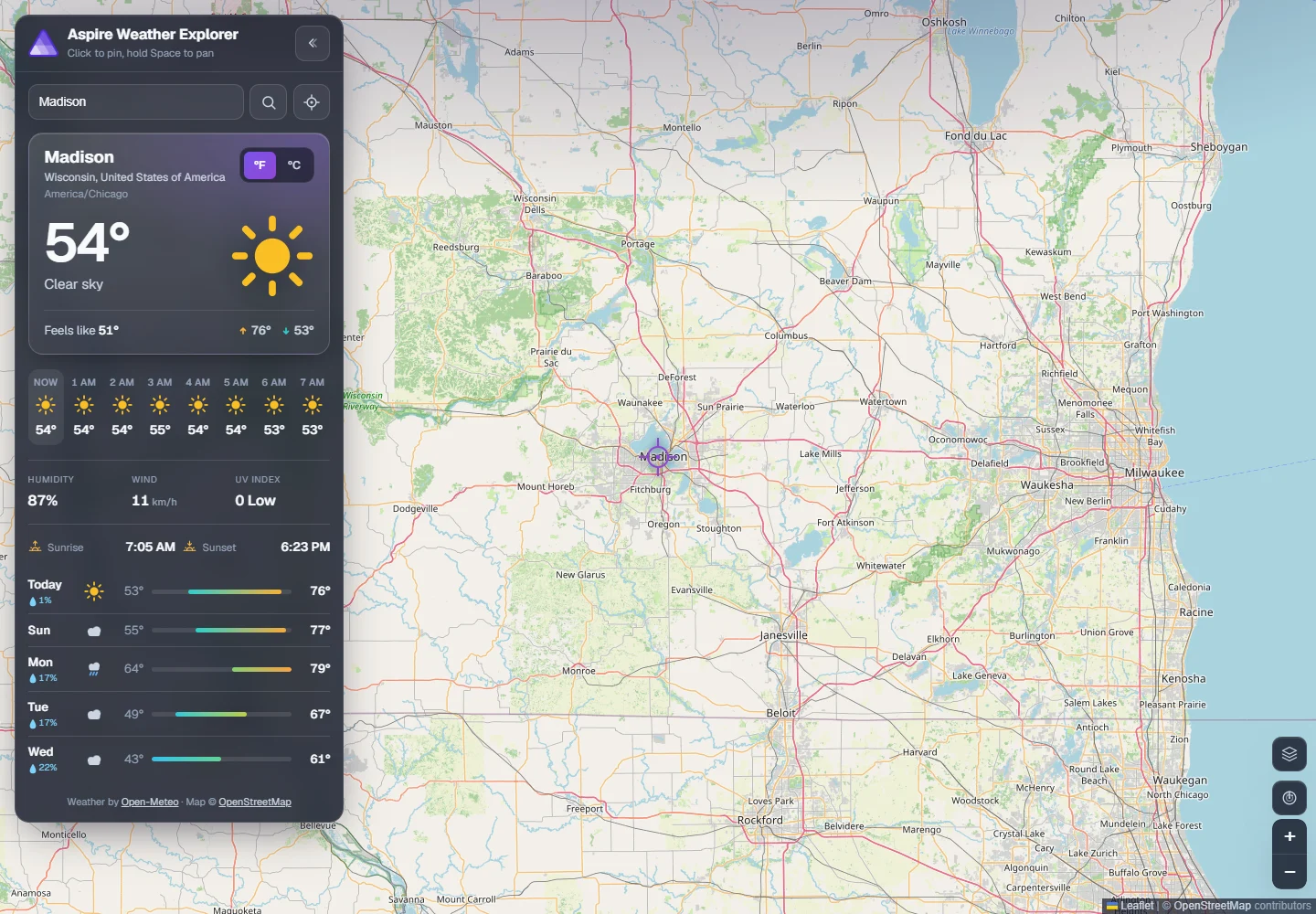
Start with a healthy app.

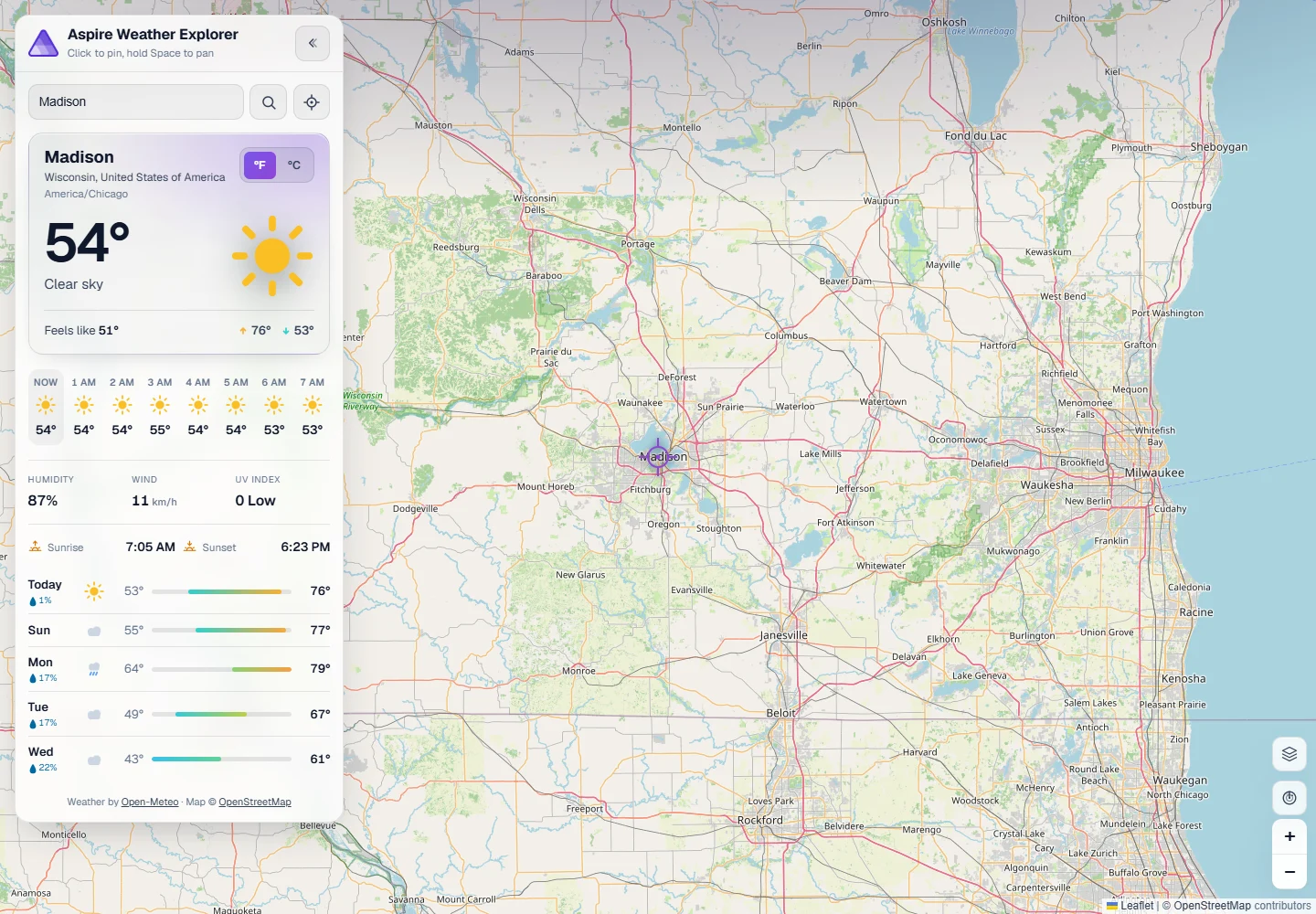
The actual NativeAOT weather app showing Madison, Wisconsin, live weather, five forecast days, and a loaded map with provider attribution in dark mode. The actual NativeAOT weather app showing Madison, Wisconsin, live weather, five forecast days, and a loaded map with provider attribution in light mode.
Actual native app and Madison map. Rehearsal capture; conditions change. Provider attribution retained. Original MIT sample.

Find current guidance.

Recorded CLI runPublic 13.6.1 / exit 0
aspire docs search "Configure tracked browser" --format Json
[
  {
    "title": "Browser logs",
    "slug": "browser-logs",
    "content": "Learn how to capture and configure browser console logs in Aspire using the BrowserLogs resource.",
    "section": "Add browser logs to a resource",
    "score": 172.43004
  },
  {
    "title": "Browser app configuration",
    "slug": "browser-app-configuration",
    "content": "Configure generic JavaScript browser apps to send OpenTelemetry data to the Aspire dashboard with OTLP HTTP exporters.",
    "section": "Example browser telemetry code",
    "score": 119.291626
  },
  {
    "title": "Enable browser telemetry",
    "slug": "enable-browser-telemetry",
    "content": "Enable browser telemetry in the Aspire dashboard to capture client-side OpenTelemetry logs, traces, and metrics from front-end JavaScript apps.",
    "section": "Dashboard configuration",
    "score": 101.06361
  },
  {
    "title": "Set up Grafana k6 in the Aspire AppHost",
    "slug": "set-up-grafana-k6-in-the-aspire-apphost",
    "content": "Configure the Community Toolkit k6 resource in Aspire, including scripts, browser testing, endpoints, health checks, and OpenTelemetry.",
    "section": "Use a fixed port or browser-enabled image",
    "score": 73.46021
  },
  {
    "title": "Compiler Error ASPIREBROWSERLOGS001",
    "slug": "compiler-error-aspirebrowserlogs001",
    "content": "Learn what causes the Aspire compiler error ASPIREBROWSERLOGS001 and how to fix it so your AppHost builds cleanly.",
    "section": "To correct this error",
    "score": 71.18428
  }
]

Captured 2026-10-12. Illustrative replay timing, not a performance claim. Complete public stdout / stderr / capture proof.

Read the actual guidance.

Recorded CLI runPublic 13.6.1 / exit 0
aspire docs get browser-logs --section "Configure browser logs" --format Json
{
  "title": "Browser logs",
  "slug": "browser-logs",
  "summary": "Learn how to capture and configure browser console logs in Aspire using the BrowserLogs resource.",
  "content": "## Configure browser logs\n\nThe **Configure tracked browser** command opens an interactive settings dialog directly in the Aspire dashboard. Use it to adjust the browser session at runtime without restarting the AppHost.\n\nThe dialog presents the following options:\n* **Scope** — Apply changes to the current resource only, or globally to all browser log resources in the AppHost.\n* **Browser** — Choose a detected Chromium browser (Edge or Chrome) or specify a custom executable path.\n* **User data mode** — `Shared` (cross-AppHost persistent data directory) or `Isolated` (per-AppHost persistent data directory).\n* **Profile** — Select a discovered Chromium profile from the Aspire-managed browser hive (available in `Shared` mode only).\n* **Save to user secrets** — Persist the selected settings to the AppHost’s user secrets so they’re restored on the next run. This option is only shown when the AppHost project has a user secrets ID configured. Run [`aspire secret set`](https://aspire.dev/reference/cli/commands/aspire-secret-set/) once in the AppHost project to initialize a user secrets store; subsequent **Save to user secrets** clicks then write the browser configuration into it.\n\nNote\n\nThe **Configure tracked browser** command is only available when the Aspire dashboard’s interaction service is active (that is, when the dashboard is connected to the AppHost). It is disabled in standalone dashboard mode.\n\nAfter confirming the dialog, the new configuration takes effect immediately: the current browser session restarts with the updated settings.",
  "sections": [
    "Prerequisites",
    "Install the package",
    "Add browser logs to a resource",
    "Optional parameters",
    "Configure via app settings",
    "Configure browser logs",
    "Browser sessions, tabs, and process sharing",
    "How browser logs are captured",
    "See also"
  ]
}

Captured 2026-10-12. Illustrative replay timing, not a performance claim. Complete public stdout / stderr / capture proof.

Inspect the member, not a guess.

Recorded CLI runPublic 13.6.1 / exit 0
aspire docs api get "csharp/aspire.hosting.browsers/browserlogsbuilderextensions/methods#withbrowserlogs" --format Json
{
  "id": "csharp/aspire.hosting.browsers/browserlogsbuilderextensions/methods#withbrowserlogs",
  "name": "WithBrowserLogs(IResourceBuilder<T>, string?, string?, BrowserUserDataMode?)",
  "language": "csharp",
  "kind": "member",
  "url": "https://aspire.dev/reference/api/csharp/aspire.hosting.browsers/browserlogsbuilderextensions/methods#withbrowserlogs-iresourcebuilder-t-string-string-browseruserdatamode",
  "parentId": "csharp/aspire.hosting.browsers/browserlogsbuilderextensions/methods",
  "memberGroup": "methods",
  "content": "# BrowserLogsBuilderExtensions Methods\n\n- Package: [Aspire.Hosting.Browsers](https://aspire.dev/reference/api/csharp/aspire.hosting.browsers.md)\n- Type: [BrowserLogsBuilderExtensions](https://aspire.dev/reference/api/csharp/aspire.hosting.browsers/browserlogsbuilderextensions.md)\n- Kind: `Methods`\n- Members: `1`\n\nExtension methods for adding tracked browser log resources to browser-based application resources.\n\n<a id=\"withbrowserlogs\"></a>\n<a id=\"withbrowserlogs-iresourcebuilder-t-string-string-browseruserdatamode\"></a>\n\n## WithBrowserLogs(IResourceBuilder<T>, string?, string?, BrowserUserDataMode?)\n\n> **Experimental:** ASPIREBROWSERLOGS001 - [Learn more](https://aspire.dev/diagnostics/aspirebrowserlogs001/)\n\n- Name: `WithBrowserLogs(IResourceBuilder<T>, string?, string?, BrowserUserDataMode?)`\n- Modifiers: `extension`\n- Returns: `IResourceBuilder<T>`\n- Source: [GitHub](https://github.com/microsoft/aspire/blob/f4c27f2d43ddc1cacd0dd083b30d1fea1cee7a62/src/Aspire.Hosting.Browsers/BrowserLogsBuilderExtensions.cs#L122-L289)\n\nAdds a child resource that can open the application's primary browser endpoint in a tracked browser session, surface browser diagnostics, and capture screenshots.\n\n```csharp\npublic static class BrowserLogsBuilderExtensions\n{\n    public static IResourceBuilder<T> WithBrowserLogs<T>(\n        this IResourceBuilder<T> builder,\n        string? browser = null,\n        string? profile = null,\n        BrowserUserDataMode? userDataMode = null)\n    {\n        // ...\n    }\n}\n```\n\n## Parameters\n\n- `builder` (`IResourceBuilder<T>`)\n  The resource builder.\n- `browser` (`string?`) `optional`\n  The browser to launch. When not specified, the tracked browser uses the configured value from `Aspire:Hosting:BrowserLogs` and otherwise prefers an installed `\"msedge\"` browser in shared user data mode, an installed `\"chrome\"` browser in isolated user data mode, and finally falls back to `\"chrome\"`. Supported values include logical browser names such as `\"msedge\"` and `\"chrome\"`, or an explicit browser executable path.\n- `profile` (`string?`) `optional`\n  Optional Chromium profile name or directory name to use. Only valid when the effective user data mode is [BrowserUserDataMode.Shared](https://aspire.dev/reference/api/csharp/aspire.hosting.browsers/browseruserdatamode/fields.md). When not specified, the tracked browser uses the configured value from `Aspire:Hosting:BrowserLogs` if present.\n- `userDataMode` ([BrowserUserDataMode?](https://aspire.dev/reference/api/csharp/aspire.hosting.browsers/browseruserdatamode.md)) `optional`\n  Optional [BrowserUserDataMode](https://aspire.dev/reference/api/csharp/aspire.hosting.browsers/browseruserdatamode.md) that selects whether the tracked browser launches against a persistent Aspire-managed user data directory shared across all AppHosts on the machine ( [BrowserUserDataMode.Shared](https://aspire.dev/reference/api/csharp/aspire.hosting.browsers/browseruserdatamode/fields.md), the default) or a per-AppHost persistent user data directory ( [BrowserUserDataMode.Isolated](https://aspire.dev/reference/api/csharp/aspire.hosting.browsers/browseruserdatamode/fields.md)). Both modes use Aspire-managed paths under `%LocalAppData%\\Aspire\\BrowserData` on Windows (or platform equivalents); the user's normal browser profile is never used. When not specified, the tracked browser uses the configured value from `Aspire:Hosting:BrowserLogs` and otherwise defaults to [BrowserUserDataMode.Shared](https://aspire.dev/reference/api/csharp/aspire.hosting.browsers/browseruserdatamode/fields.md).\n\n## Returns\n\n`IResourceBuilder<T>` -- A reference to the original `ApplicationModel.IResourceBuilder`1` for further chaining.\n\n## Remarks\n\nThis method adds a child browser logs resource beneath the parent resource represented by `builder`. The child resource exposes a dashboard command that launches a Chromium-based browser in a tracked mode, attaches to the browser's debugging protocol, forwards browser console, error, exception, and network output to the child resource's console log stream, and can capture screenshots as command artifacts.\n\nThe tracked browser session uses the [Chrome DevTools Protocol (CDP)](https://chromedevtools.github.io/devtools-protocol/) to subscribe to browser runtime, log, page, and network events.\n\nThe parent resource must expose at least one HTTP or HTTPS endpoint. HTTPS endpoints are preferred over HTTP endpoints when selecting the browser target URL.\n\nBrowser, profile, and user data mode settings can also be supplied from configuration using `Aspire:Hosting:BrowserLogs:Browser`, `Aspire:Hosting:BrowserLogs:Profile`, and `Aspire:Hosting:BrowserLogs:UserDataMode`, or scoped to a specific resource with `Aspire:Hosting:BrowserLogs:{ResourceName}:Browser`, `Aspire:Hosting:BrowserLogs:{ResourceName}:Profile`, and `Aspire:Hosting:BrowserLogs:{ResourceName}:UserDataMode`. Explicit method arguments override configuration.\n\n## Examples\n\nAdd tracked browser logs for a web front end:\n\n```csharp\nvar builder = DistributedApplication.CreateBuilder(args);\n\nbuilder.AddProject<Projects.WebFrontend>(\"web\")\n    .WithExternalHttpEndpoints()\n    .WithBrowserLogs();\n```\n\n## ATS metadata\n\n### ATS export\n\n- Available to Polyglot AppHosts through the Aspire Type System.\n"
}

Captured 2026-10-12. Illustrative replay timing, not a performance claim. Complete public stdout / stderr / capture proof.

An exact member, not a plausible guess.

Actual CLI member response JSON selected fields
{
  "id": "csharp/aspire.hosting.browsers/browserlogsbuilderextensions/methods#withbrowserlogs",
  "name": "WithBrowserLogs(IResourceBuilder<T>, string?, string?, BrowserUserDataMode?)",
  "language": "csharp",
  "kind": "member"
}
Member Markdown route Actual TypeScript excerpt
return markdownResponse(
  renderCSharpMemberKindMarkdown(
    routeProps.pkg,
    routeProps.type,
    routeProps.memberKind,
    routeProps.allTypes,
    base
  )
);

The response identifies the member and returns its reference content. The renderer preserves that identity in published Markdown.

Actual returned member / reference renderer. Selected fields, not fabricated output.

Choose scope before action.

Writing code isn't operating a system.

The next move needs an exact target, readiness, and a result you can inspect.

Wait for the actual native API.

Recorded CLI runPublic 13.6.1 / exit 0
aspire wait api --apphost 'demo\host\apphost.cs' --status healthy --timeout 120 --non-interactive
Waiting for resource 'api' to be healthy...

✅ Resource 'api' is healthy. (0.0s)

Captured 2026-10-12. Illustrative replay timing, not a performance claim. Complete public stdout / stderr / capture proof.

Inspect what is running.

Recorded CLI runPublic 13.6.1 / exit 0
aspire describe --apphost 'demo\host\apphost.cs' --format Json --non-interactive
{
  "resources": [
    {
      "name": "api-kewwzmak",
      "displayName": "api",
      "resourceType": "Executable",
      "state": "Running",
      "creationTimestamp": "2026-10-12T11:24:41+00:00",
      "startTimestamp": "2026-10-12T11:24:41.8+00:00",
      "source": "Weather.Api.exe",
      "healthStatus": "Healthy",
      "dashboardUrl": "[redacted dashboardUrl]",
      "relationships": [
        {
          "type": "Reference",
          "resourceName": "open-meteo"
        },
        {
          "type": "Reference",
          "resourceName": "reverse-geocoding"
        },
        {
          "type": "Reference",
          "resourceName": "geocoding"
        },
        {
          "type": "Reference",
          "resourceName": "open-meteo"
        },
        {
          "type": "Reference",
          "resourceName": "reverse-geocoding"
        },
        {
          "type": "Reference",
          "resourceName": "geocoding"
        }
      ],
      "urls": [
        {
          "name": "http",
          "url": "http://localhost:62869"
        }
      ],
      "volumes": [],
      "properties": {
        "executable.args": null,
        "executable.path": "[redacted local filesystem path]",
        "executable.pid": 40208,
        "executable.workDir": "[redacted local filesystem path]",
        "resource.appArgs": [],
        "resource.appArgsSensitivity": []
      },
      "environment": "[redacted environment]",
      "healthReports": {
        "api_http_/health_200_check": {
          "status": "Healthy"
        }
      },
      "commands": {
        "restart": {
          "displayName": "Restart",
          "description": "Restart resource",
          "state": "Enabled",
          "sortOrder": 2
        },
        "stop": {
          "displayName": "Stop",
          "description": "Stop resource",
          "state": "Enabled",
          "sortOrder": 1
        }
      }
    },
    {
      "name": "frontend-installer-trmtsfbm",
      "displayName": "frontend-installer",
      "resourceType": "Executable",
      "state": "NotStarted",
      "source": "npm",
      "dashboardUrl": "[redacted dashboardUrl]",
      "relationships": [
        {
          "type": "Parent",
          "resourceName": "frontend-quwryuxr"
        }
      ],
      "urls": [],
      "volumes": [],
      "properties": {
        "executable.args": null,
        "executable.path": "npm",
        "executable.pid": null,
        "executable.workDir": "[redacted local filesystem path]",
        "resource.appArgs": null,
        "resource.appArgsSensitivity": null,
        "resource.parentName": "frontend-quwryuxr"
      },
      "environment": "[redacted environment]",
      "healthReports": {},
      "commands": {
        "start": {
          "displayName": "Start",
          "description": "Start resource",
          "state": "Enabled",
          "sortOrder": 0
        }
      }
    },
    {
      "name": "frontend-quwryuxr",
      "displayName": "frontend",
      "resourceType": "Executable",
      "state": "Running",
      "creationTimestamp": "2026-10-12T11:24:42+00:00",
      "startTimestamp": "2026-10-12T11:24:42.205+00:00",
      "source": "npm",
      "healthStatus": "Unhealthy",
      "dashboardUrl": "[redacted dashboardUrl]",
      "relationships": [
        {
          "type": "WaitFor",
          "resourceName": "frontend-installer-trmtsfbm"
        },
        {
          "type": "Reference",
          "resourceName": "api-kewwzmak"
        },
        {
          "type": "WaitFor",
          "resourceName": "api-kewwzmak"
        },
        {
          "type": "Reference",
          "resourceName": "api-kewwzmak"
        }
      ],
      "urls": [
        {
          "name": "http",
          "url": "http://localhost:62871"
        }
      ],
      "volumes": [],
      "properties": {
        "executable.args": null,
        "executable.path": "npm",
        "executable.pid": 14900,
        "executable.workDir": "[redacted local filesystem path]",
        "resource.appArgs": [
          "run",
          "dev",
          "--",
          "--port",
          "11338"
        ],
        "resource.appArgsSensitivity": [
          0,
          0,
          0,
          0,
          0
        ],
        "resource.launchConfigurationType": "node"
      },
      "environment": "[redacted environment]",
      "healthReports": {
        "frontend_http_/_200_check": {}
      },
      "commands": {
        "restart": {
          "displayName": "Restart",
          "description": "Restart resource",
          "state": "Enabled",
          "sortOrder": 2
        },
        "stop": {
          "displayName": "Stop",
          "description": "Stop resource",
          "state": "Enabled",
          "sortOrder": 1
        }
      }
    },
    {
      "name": "geocoding",
      "displayName": "geocoding",
      "resourceType": "ExternalService",
      "state": "Running",
      "source": "geocoding-api.open-meteo.com",
      "healthStatus": "Healthy",
      "dashboardUrl": "[redacted dashboardUrl]",
      "relationships": [],
      "urls": [
        {
          "name": "default",
          "url": "https://geocoding-api.open-meteo.com/v1/search"
        }
      ],
      "volumes": [],
      "properties": {
        "resource.source": "geocoding-api.open-meteo.com"
      },
      "environment": "[redacted environment]",
      "healthReports": {
        "geocoding_external_/v1/search?name=Seattle&count=1&language=en&format=json_200_check": {
          "status": "Healthy"
        }
      },
      "commands": {}
    },
    {
      "name": "open-meteo",
      "displayName": "open-meteo",
      "resourceType": "ExternalService",
      "state": "Running",
      "source": "api.open-meteo.com",
      "healthStatus": "Healthy",
      "dashboardUrl": "[redacted dashboardUrl]",
      "relationships": [],
      "urls": [
        {
          "name": "default",
          "url": "https://api.open-meteo.com/"
        }
      ],
      "volumes": [],
      "properties": {
        "resource.source": "api.open-meteo.com"
      },
      "environment": "[redacted environment]",
      "healthReports": {
        "open-meteo_external_/v1/forecast?latitude=0&longitude=0&current=temperature_2m_200_check": {
          "status": "Healthy"
        }
      },
      "commands": {}
    },
    {
      "name": "reverse-geocoding",
      "displayName": "reverse-geocoding",
      "resourceType": "ExternalService",
      "state": "Running",
      "source": "api.bigdatacloud.net",
      "healthStatus": "Healthy",
      "dashboardUrl": "[redacted dashboardUrl]",
      "relationships": [],
      "urls": [
        {
          "name": "default",
          "url": "https://api.bigdatacloud.net/data/reverse-geocode-client"
        }
      ],
      "volumes": [],
      "properties": {
        "resource.source": "api.bigdatacloud.net"
      },
      "environment": "[redacted environment]",
      "healthReports": {
        "reverse-geocoding_external_/data/reverse-geocode-client?latitude=0&longitude=0&localityLanguage=en_200_check": {
          "status": "Healthy"
        }
      },
      "commands": {}
    }
  ]
}

Captured 2026-10-12. Illustrative replay timing, not a performance claim. Complete public stdout / stderr / capture proof.

See the request trace come back.

Recorded CLI runPublic 13.6.1 / exit 0
aspire otel traces api --apphost 'demo\host\apphost.cs' --format Json --non-interactive
[
  {
    "traceId": "7030bd343ae293c5941aec96764b60a5",
    "durationMs": 13,
    "title": "GET /health",
    "spans": [
      {
        "traceId": "7030bd343ae293c5941aec96764b60a5",
        "spanId": "049b066236a5e0d2",
        "kind": "Server",
        "name": "GET /health",
        "source": "api",
        "destination": "localhost:62869",
        "durationMs": 13,
        "timestamp": "2026-10-12T11:24:42.1521661Z",
        "attributes": {
          "http.request.method": "GET",
          "server.address": "localhost",
          "server.port": "62869",
          "url.scheme": "http",
          "url.path": "/health",
          "network.protocol.version": "1.1",
          "http.route": "/health",
          "http.response.status_code": "200 OK"
        }
      }
    ],
    "hasError": false,
    "timestamp": "2026-10-12T11:24:42.1521661Z",
    "dashboardUrl": "[redacted dashboardUrl]"
  },
  {
    "traceId": "7e37e007d193c9d60fa813ee5f4df1ca",
    "durationMs": 523,
    "title": "GET /api/weather",
    "spans": [
      {
        "traceId": "7e37e007d193c9d60fa813ee5f4df1ca",
        "spanId": "d5cdad39eba8b8fe",
        "kind": "Server",
        "name": "GET /api/weather",
        "source": "api",
        "destination": "localhost:62869",
        "durationMs": 523,
        "timestamp": "2026-10-12T11:24:44.6316734Z",
        "attributes": {
          "http.request.method": "GET",
          "server.address": "localhost",
          "server.port": "62869",
          "user_agent.original": "Mozilla/5.0 (Windows NT 10.0; Microsoft Windows 10.0.26200; en-US) PowerShell/7.6.6",
          "url.scheme": "http",
          "url.path": "/api/weather",
          "url.query": "?lat=Redacted&lon=Redacted",
          "network.protocol.version": "1.1",
          "http.route": "/api/weather",
          "http.response.status_code": "200 OK"
        }
      },
      {
        "traceId": "7e37e007d193c9d60fa813ee5f4df1ca",
        "spanId": "e2d52233242d655c",
        "parentSpanId": "d5cdad39eba8b8fe",
        "kind": "Internal",
        "name": "weather.forecast",
        "source": "api",
        "durationMs": 521,
        "timestamp": "2026-10-12T11:24:44.6323495Z",
        "attributes": {}
      },
      {
        "traceId": "7e37e007d193c9d60fa813ee5f4df1ca",
        "spanId": "2ebb083081915206",
        "parentSpanId": "e2d52233242d655c",
        "kind": "Client",
        "name": "GET",
        "source": "api",
        "destination": "api.bigdatacloud.net:443",
        "durationMs": 209,
        "timestamp": "2026-10-12T11:24:44.6331319Z",
        "attributes": {
          "http.request.method": "GET",
          "server.address": "api.bigdatacloud.net",
          "server.port": "443",
          "url.full": "https://api.bigdatacloud.net/data/reverse-geocode-client?*",
          "http.response.status_code": "200 OK",
          "network.protocol.version": "1.1"
        }
      },
      {
        "traceId": "7e37e007d193c9d60fa813ee5f4df1ca",
        "spanId": "5da9f92c5b2662bb",
        "parentSpanId": "e2d52233242d655c",
        "kind": "Client",
        "name": "GET",
        "source": "api",
        "destination": "api.open-meteo.com:443",
        "durationMs": 520,
        "timestamp": "2026-10-12T11:24:44.6331352Z",
        "attributes": {
          "http.request.method": "GET",
          "server.address": "api.open-meteo.com",
          "server.port": "443",
          "url.full": "https://api.open-meteo.com/v1/forecast?*",
          "http.response.status_code": "200 OK",
          "network.protocol.version": "1.1"
        }
      }
    ],
    "hasError": false,
    "timestamp": "2026-10-12T11:24:44.6316734Z",
    "dashboardUrl": "[redacted dashboardUrl]"
  }
]

Captured 2026-10-12. Illustrative replay timing, not a performance claim. Complete public stdout / stderr / capture proof.

Guidance chooses. The CLI executes.

Skill

File-based instructions that guide workflow and tool choice.

aspire-monitoring/SKILL.md

A skill selects the observation; it does not replace the tool.

CLI tool

Executable operations that return current evidence.

aspire wait apiaspire describeaspire otel traces api

Public CLI 13.6.1. Exact operations and evidence.

Skills choose the next move.

Route and create

aspireaspire-initaspireifyaspire-project-v2-migration

Run and inspect

aspire-orchestrationaspire-monitoringaspire-deployment

aspire-orchestration selects the exact start/wait target. aspire-monitoring selects the logs and traces that ground the next decision.

CLI generation, provenance, and profile side effects

Compiler facts become exact CLI references.

DLL + XML + available PDB → Roslyn canonical model → C# reference Markdown → separate API lookup.

Pinned Roslyn ingestion source

Fetch current text. Reuse unchanged work.

CachedHttpDocumentFetcher.cs C# excerpt
using var request = new HttpRequestMessage(
    HttpMethod.Get, url);
if (!string.IsNullOrEmpty(cachedETag))
{
    request.Headers.IfNoneMatch.Add(
        new EntityTagHeaderValue(cachedETag));
}
DocsIndexService.cs C# excerpts
var currentFingerprint =
    SourceContentFingerprint.Compute(
        content, IndexSchemaVersion);

await _docsCache.SetIndexAsync(
    [.. documents], cancellationToken)
    .ConfigureAwait(false);

The narrative-docs path obtains the cached ETag, reuses matching fingerprints, and parses only when needed. Default corpus: llms-full.txt.

ETag source / cache/index source. Selected lines, wrapped for display.

The parser knows fences.

LlmsTxtParser.cs C# source excerpt
var span = content.AsSpan();
var codeBlocks = FindCodeBlockRegions(span);

// Find all document boundaries (line indices where H1 headers start)
var docBoundaries = FindDocumentBoundaries(span, codeBlocks);

// Find all section headings (H2+) using the pre-computed fence regions
// passed down from ParseAsync.
var sectionStarts = FindSectionHeadings(docSpan, codeBlocks);

Headings inside code fences must not split the document.

Inspect the actual C# parser excerpt in docs/code. The rehearsal uses Aspire's parser, not a clone.

Find the relevant narrative section.

DocsIndexService.cs Actual narrative-doc weights
private const float TitleWeight = 10.0f;
private const float SummaryWeight = 8.0f;
private const float HeadingWeight = 6.0f;
private const float CodeWeight = 5.0f;
private const float BodyWeight = 1.0f;

Configure browser logs

Rank prose and sections, then retrieve the content. This is not the separate compiler-derived API index.

Pinned narrative weights. Local lexical ranking, not embeddings or model training.

Know which process is native.

Native CLI and API. Managed C# AppHost. Browser React. Node only for frontend development/build.

Wire an executable, not a fallback.

demo/host/apphost.cs C# source excerpt
var api = builder.AddExecutable("api", executable, nativeDirectory)
    .WithHttpEndpoint(env: "PORT")
    .WithHttpHealthCheck("/health")
    .WithExternalHttpEndpoints()
    .WithOtlpExporter(OtlpProtocol.HttpProtobuf);

builder.AddViteApp("frontend",
        Path.Combine(builder.AppHostDirectory, "..", "frontend"))
    .WithNpm(install: false)
    .WithReference(api.GetEndpoint("http")).WaitFor(api)
    .WithEnvironment("API_HTTP", api.GetEndpoint("http"))
    .WithEnvironment("API_HTTPS", "");

Actual AppHost: excerpt omits surrounding configuration. Dynamic ports, readiness, references, and OTLP are explicit.

Reason. Act precisely. Observe.

Advance to trace skills → CLI → resources → evidence → next decision.

Aspire dashboard

A running process isn't the whole story.

See resource state and the request's actual path. Share that evidence with the next human or agent decision.

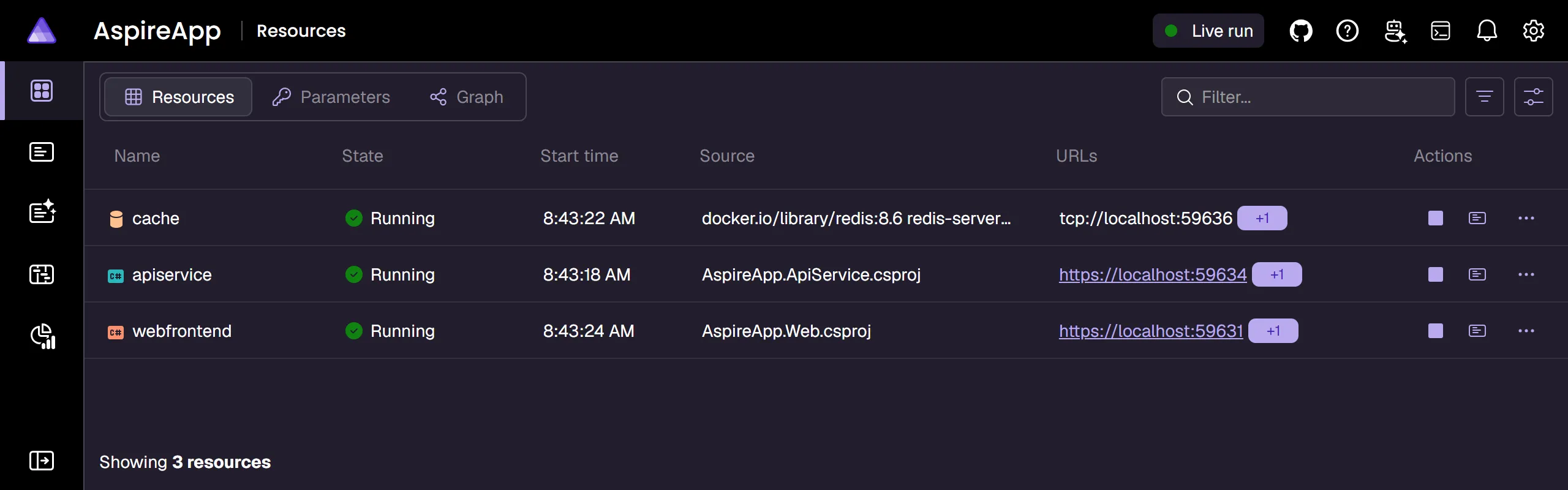
Observe a running AppHost.

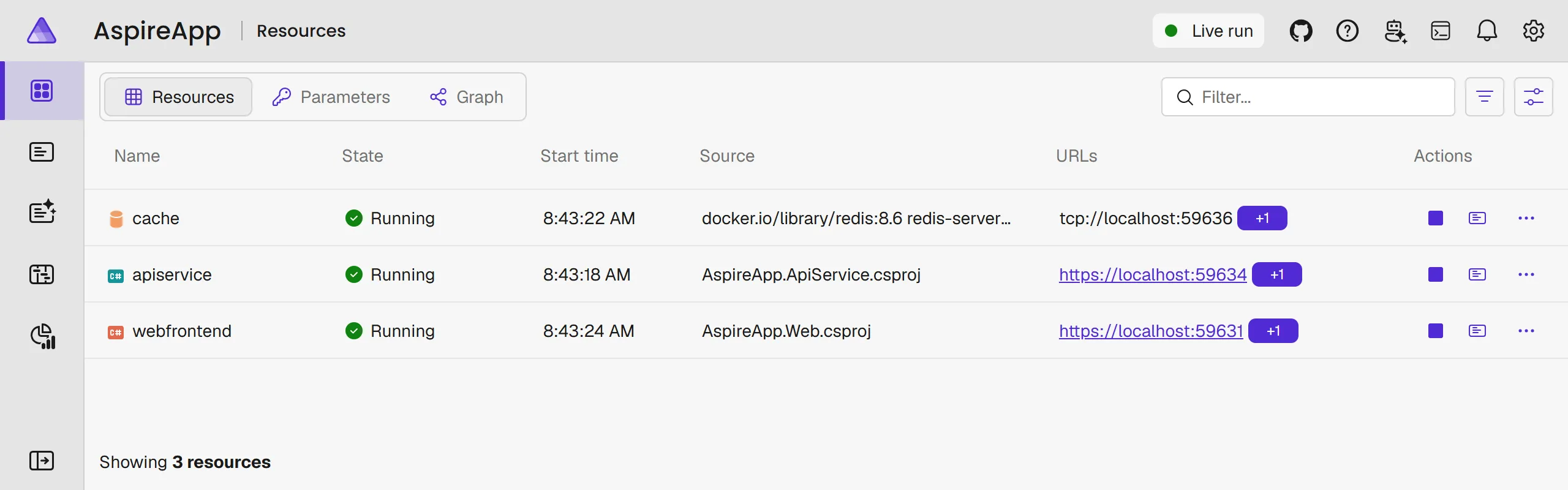
Official Aspire documentation screenshot of the integrated dashboard Resources page in dark theme. Official Aspire documentation screenshot of the integrated dashboard Resources page in light theme.
Official resource-page screenshot, not this weather run. The AppHost resource service supplies state, health, console, configuration and resource commands.

OTLP adds structured logs, traces and metrics.

Official dashboard overview and image source. Starting a C# or TypeScript AppHost launches the integrated dashboard; emitting telemetry still requires instrumentation.

Same viewer. No AppHost required.

Standalone CLI Reference, not run here
aspire dashboard run --non-interactive
Standalone OCI image PowerShell reference
docker run --rm `
  -p "127.0.0.1:18888:18888" `
  -p "127.0.0.1:4317:18889" `
  -p "127.0.0.1:4318:18890" `
  mcr.microsoft.com/dotnet/aspire-dashboard:latest

Any instrumented OTLP emitter can send telemetry. A standalone viewer does not orchestrate your processes.

Documented startup options, not recorded executions. Container ports map UI / gRPC / HTTP; loopback binding is a safety adaptation. Browser authentication remains enabled. The CLI command is foreground/blocking.

Instrumentation makes the evidence.

Logs

What happened, with structured context.

Traces

Where this request went across boundaries.

Metrics

How behavior changes over time.

Instrument code, export OTLP, then inspect actual results.

Integrated resource service / independent telemetry service. Designed for development and short-term diagnostics, not unlimited production retention.

Aspire deployment

Application intent should outlive your laptop.

Keep relationships explicit. Publish target artifacts, deploy configured resources, and verify the actual outcome.

Start from deployable intent.

AppHost modelTarget integrationEnvironment resource
Docker integration Reference, not installed here
aspire add docker --non-interactive
Compose environment Documented C# pattern
var environment = builder
    .AddDockerComposeEnvironment("env")
    .WithDashboard();

Declare deployable application resources in that model.

Explicitly labeled Docker Compose example, not a user-chosen target or the weather AppHost. AddDockerComposeEnvironment / WithDashboard. No integration or graph was changed here.

Publish describes the target.

Deployment artifacts Reference with placeholder path
aspire publish --apphost 'path\to\deployment\AppHost.cs' `
  --output-path 'publish-output' --non-interactive

Compose publishing generates docker-compose.yaml and .env.

It does not build images or apply the deployment.

Documented publish pipeline. Public CLI 13.6.1 syntax; substitute a configured, deployment-ready AppHost. No generated output is presented as a capture.

Deploy applies the model.

Target application Reference with placeholders
aspire deploy --apphost 'path\to\deployment\AppHost.cs' `
  --environment '<environment>' --non-interactive

Deploy works from the AppHost model, not an old publish folder.

Compose fills parameters, builds images, and runs Compose up.

Documented deploy pipeline. It deploys declared resources, not the AppHost process. No provisioning or deployment was performed for this presentation.

Same intent. Explicit boundaries.

Target

Choose the supported integration and environment.

Permission

Resolve parameters, secrets, authentication and allowed side effects.

Verification

Inspect the deployed resources and observed health.

aspire-deployment guides the workflow; the CLI and target provider perform it.

Documented target setup / unchanged shipped deployment skill. Same model does not mean identical target behavior.

Aspire makes AI
more efficient.

AI loops
Aspire dashboard
Aspire deployment

Get the code

Presenter runbook · Docs rehearsal

Earlier architecture.
Current surface.

Personal post

llms-small.txt and MCP-first list/search/get tools.

The C# architecture story

This rehearsal

llms-full.txt, CLI docs commands, and a separate API-reference index.

Current pinned implementation

Optional appendix. Reusable fetching, parsing, indexing, and retrieval outlive a particular tool surface.

Reported documentation outcomes

82feature-docs PRs merged

44.8hmedian docs time-to-merge

Reported window: May 3-June 2, 2026.
Historical human-reviewed data, not a fresh SLA.

Optional appendix. Source and measurement context

Sources and reuse